Montreal Best IPTV Setup Guide
Get your Montreal Best IPTV subscription running on any device in under 10 minutes. This guide is written specifically for IBO Player - the only application we officially support.
Before You Start
To complete the activation you need three things:
- An active Montreal Best IPTV subscription (1m, 3m, 6m or 12m).
- A device that runs the IBO Player app - Smart TV, Firestick, Android Box, Apple TV, MAG/STB, iPhone, Android phone, Windows or Mac.
- A stable internet connection of 10 Mbps minimum (20 Mbps for 4K).
We support only IBO Player. Third-party players are not used by our service. This single-app approach keeps streams stable and support fast.
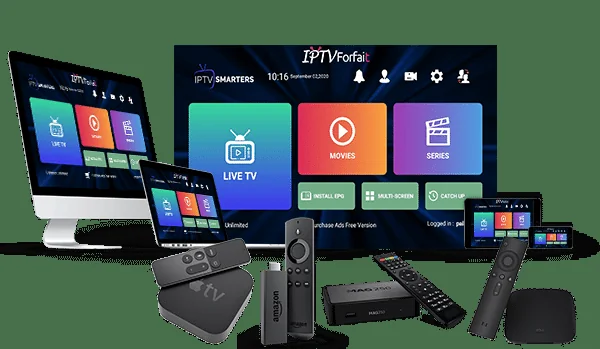
The 5 Steps That Work on Every Device
The installation process is identical across devices - only the app-store name changes.
Subscribe
Place an order on our checkout page. Within 5 minutes you receive a welcome email and a WhatsApp message with login details.
Install IBO Player
Open your device's app store, search for "IBO Player" and install the official app. It is free to install.
Capture MAC Address
Launch the app. The welcome screen shows your device's unique MAC address (format: 00:1A:79:XX:XX:XX). Note it.
Send Us the MAC
Reply to our welcome email or send your MAC over WhatsApp. Our Montreal team links your subscription within minutes.
Reload & Watch
Close and reopen IBO Player. All 15,000+ channels and 40,000+ VOD titles appear immediately - start streaming.
Quick Tips for Popular Devices in Quebec
Samsung & LG Smart TV
Open the Samsung App Store or LG Content Store. Search "IBO Player Pro" and install. Tizen and webOS are both supported. MAC address appears on the home screen.
Amazon Firestick / Fire TV
From the Firestick home, go to Find › Search, type "IBO Player" and install. Launch the app and copy the MAC code shown.
Android TV Box & Phone
Open the Google Play Store, install "IBO Player". On most boxes (Formuler, Buzz TV, Nvidia Shield), the app auto-detects HD/4K and adjusts.
MAG / STB Box
MAG boxes use a built-in MAC tied to the hardware. Provide us the MAC printed on the box label and we activate the portal URL inside your device settings.
Apple TV / iPhone / iPad
Install "IBO Player" from the App Store. For Apple TV 4K, ensure tvOS 15+. Send the MAC shown on the app's welcome screen.
Windows & Mac
Download the IBO Player desktop client from the official IBO website. Once installed, open and read the MAC from the about menu.
If Something Does Not Load
I see "No playlist found" when I open IBO Player
This means your subscription is not yet linked to the device MAC. Confirm we received your MAC address by checking your email and WhatsApp. Most activations complete in under 10 minutes.
Streams buffer or freeze during prime time
First, run a speed test. We recommend 10 Mbps minimum for HD and 20+ Mbps for 4K. If your speed is fine, try switching from Wi-Fi to a wired connection - most freezing in Montreal during peak hours stems from congested home Wi-Fi.
The EPG (programme guide) is empty
Pull down the channel guide once, wait 30 seconds, and reopen. The EPG is fetched on first launch. If still empty after 5 minutes, contact our support team and we will refresh your server profile.
Can I use Montreal Best IPTV with a VPN?
Yes, our streams are VPN-friendly. Recommended servers: Canada (Montreal/Toronto), USA (East Coast), or France for best latency.
Still stuck? Talk to a Quebec Agent